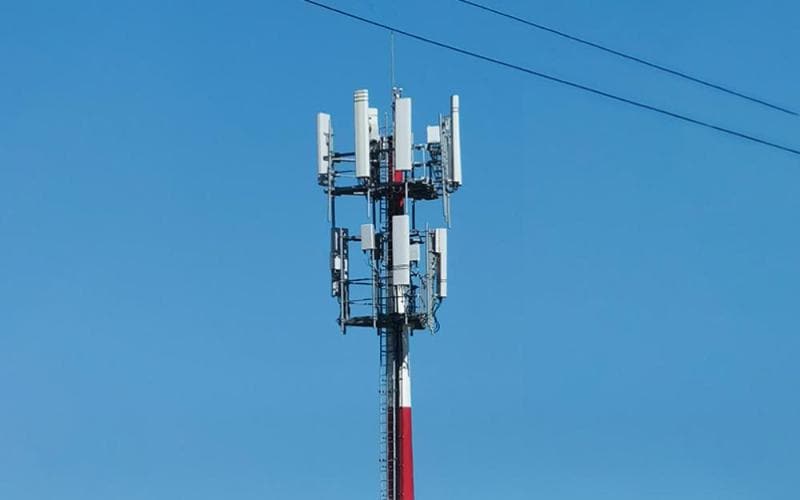
5G Network Slicing

5G Network Slicing 

5G Network Slicing is a technology that allows for multiple virtual networks on a single physical 5G network. It enables tailor-made connectivity services for diverse applications and users.


5G Network Slicing

5G Network Slicing revolutionizes how we think about mobile connectivity. By partitioning a single physical network into multiple virtual networks or "slices," it offers customized bandwidth and latency settings to meet specific needs. This technology serves a wide range of uses, from enhanced mobile broadband (eMBB) to ultra-reliable low-latency communications (URLLC) and massive machine-type communications (mMTC).


Each slice operates independently, ensuring that the performance of one does not affect the others. Businesses and consumers benefit from this adaptive network, which brings unparalleled flexibility and efficiency to the forefront. With 5G Network Slicing, network operators can efficiently manage their resources, cater to diverse market requirements, and pave the way for innovative services and applications.


The Concept Of 5g Network Slicing

Imagine a superhighway with dedicated lanes for different types of vehicles. This is what 5G Network Slicing promises for digital networks. It's a revolution in the way data travels, and it's set to change the tech world. 

Defining 5g Network Slicing

5G Network Slicing is like having personalized internet lanes. Each lane, or "slice," is a unique virtual network. These slices cater to specific requirements of applications, services, or devices. By creating slices, networks meet diverse needs—like speed, capacity, or security—without building separate physical networks.

Benefits of 5G Network Slicing include:

  • Customized experiences for different services
  • Enhanced speeds and lower latency for critical tasks
  • Improved network efficiency and flexibility

The Building Blocks Of Network Slicing

Think of network slicing as a puzzle. Each piece serves a unique function. The main pieces include:

Building Block Role
Software-Defined Networking (SDN) Manages data flow for each slice
Network Functions Virtualization (NFV) Runs network functions on virtual machines
Orchestration Coordinates resources across the network

Together, these technologies allow a 5G network to support diverse cases:

  1. Smart homes
  2. Remote surgeries
  3. Autonomous vehicles
  4. IoT devices

Benefits And Advancements

5G network slicing unlocks many new opportunities. It allows networks to meet specific needs. This lets carriers offer custom experiences. It is like having many custom networks in one. Let's explore how this changes things.

Tailored Connectivity Solutions

Network slicing offers unique solutions. It adapts to different use cases. Think of it like custom clothes. They fit just right. Network slices do the same for data services.

  • Businesses get what they need. They can have faster speeds and more security.
  • Healthcare can rely on speedy data. This can help save lives.
  • Even gaming can get smoother with less lag. Each slice is like a VIP lane for data.

Impact On Internet Of Things (iot)

IoT devices are everywhere. From smart homes to factories, they need strong connections. Network slicing makes these connections better.

IoT Aspect Impact of 5G Slicing
Device Battery Life Slices optimize data flow. This saves battery.
Device Performance Special slices mean devices work smoothly.
Automation Levels Reliable slices allow more automation.

Overall, 5G slicing brings sharper IoT utility. Devices communicate better. They are more reliable. Efficiency is up. What's more, future tech will lean on this heavily.

Technical Mechanisms Behind Slicing

Imagine 5G Network Slicing like cutting a giant cake. Each slice serves a different guest with unique tastes. The 5G network does something similar. It splits the network into multiple virtual networks. Each part meets specific needs for different applications. Two key players make this magic happen: SDN and NFV. Let's see how they work their tricks.

Role Of Software-defined Networking (sdn)

Software-Defined Networking (SDN) acts like the brain of the operation. Think of it as a smart traffic controller. It tells data where to go on the network. This makes the network more flexible and quick. It helps in creating slices without using new hardware.

  • Centralized control: SDN moves the control panel from hardware to software. This makes changes and updates easier and faster.
  • Directs traffic: It guides data packets along the best routes. This happens through virtual paths set up for each slice.
  • Improves efficiency: By managing network resources smartly. Resources go where they are needed most.

Function Of Network Function Virtualization (nfv)

Network Function Virtualization (NFV) changes traditional network appliances into virtual services. Think of these services as smartphone apps. Just as you download apps on your phone, NFV deploys network services on virtual machines.

  • Flexibility: Easily start or stop services. It's like turning apps on or off.
  • Scalability: Adjust services to handle more or less traffic, just as apps may need more power to run.
  • Cost-saving: No need for specialized hardware. Use your existing servers and storage.

Challenges And Considerations

Understanding the Challenges and Considerations of 5G Network Slicing is key for its successful deployment. This technology brings tailored connectivity, but it also introduces various hurdles that need attention.

Security Implications

5G Network Slicing creates unique Security Implications. Each slice, serving a different purpose, must be secure. The stakes are high.

  • Data protection must span across slices.
  • Access control is vital to prevent breaches.
  • Monitoring for threats must be constant.

Ensuring the safety of each slice demands robust security protocols and continuous vigilance.

Complexity In Implementation

5G Network Slicing


Complexity in Implementation is another major hurdle for 5G Network Slicing. It involves numerous technical details.

  1. Setting up multiple slices needs precision.
  2. Maintaining performance standards across slices can be tough.
  3. Coordination among various stakeholders is essential.

Deploying network slices means overcoming technical complexities and ensuring they work together seamlessly.

Embracing 5G network slicing unlocks a new realm of digital possibilities. It offers tailored connectivity that meets diverse demands. From enhanced mobile experiences to reliable industrial automation, this technology is pivotal. As we advance, network slicing will transform how we interact with the internet, carving paths to innovation and efficiency.


Embrace the future; embrace 5G slicing.

Latency in 5G

Latency in 5G

The advent of 5G is setting new standards for wireless communication, promising exceptionally low latency which is critical for real-time applications. With the rollout of 5G networks, industries and consumers alike anticipate a transformative impact on internet services. This advanced mobile technology aims to reduce transmission delays, contributing to more seamless connectivity.

The reduced latency paves the way for advancements in areas like autonomous vehicles, telemedicine, and virtual reality, where instantaneous data exchange is paramount. As the 5G infrastructure continues to expand, its low-latency feature becomes a cornerstone for developing futuristic applications and services, ensuring that users can enjoy faster and more reliable wireless communications.

Latency in 5G typically ranges from 1 to 10 milliseconds. This improved response time enhances user experiences.


Latency in 5G


Challenges Of Latency In 5g

5G technology heralds a new era of connection speeds and reliability. Users expect to download, stream, and browse with little to no delay. Yet, achieving this seamless experience is not without its hurdles. Latency is a critical factor in how fast and responsive 5G networks can be.

Defining Latency In The Context Of 5g

Latency refers to the time a data packet takes to travel from one point to another. In 5G, the goal is near-instantaneous communication. Consider the journey from clicking a link to loading a webpage; low latency makes this almost immediate.

  • Measuring Latency: It's usually counted in milliseconds (ms).
  • Ideal 5G Latency: Under 5ms is the target for optimal experience.
  • Impact of High Latency: Can lead to slow response times.

Current Challenges Imposed By High Latency

Despite the promise of 5G, users still face issues due to high latency in certain conditions. Challenges include:

Challenge Impact
Network congestion Delays in data delivery
Distance from cell towers Increased travel time for data
Outdated infrastructure Hindrance to achieving low latency

Overcoming these challenges is imperative to unleash the full power of 5G networks. Providers continue to upgrade equipment, optimize network distribution, and establish new infrastructure to assure users gain the low-latency benefits of 5G.

Implications Of High Latency On User Experience

The speed at which technology responds is crucial in our fast-paced world. High latency, or delay, in 5G networks adversely affects how we interact with the digital realm. When networks lag, the user experience deteriorates, causing frustration and limiting the potential of cutting-edge technologies.

Impact On Streaming Services And Real-time Gaming

Streaming content and playing online games demand uninterrupted, real-time data transfer. Latency above certain thresholds can cause:

  • Buffering or lag in video streaming, disrupting your viewing experience.
  • Delays and lag spikes in online gaming, leading to a competitive disadvantage.

Seamless streaming and gaming rely heavily on low-latency networks, and any latency hiccups can be deal-breakers for users seeking instantaneous feedback and interaction.

Consequences For Iot And Smart City Applications

Internet of Things (IoT) devices and smart city infrastructures integrate to perform efficiently. High latency can lead to:

Area Impacted Effects of High Latency
Emergency Services Delays in critical response times
Traffic Management Non-optimal traffic flow and increased congestion
Utility Services Slower reaction to power outages and system failures

For smart applications, where decisions often need to be made in milliseconds, high latency can compromise functionality and the overall efficacy of services.

Innovative Solutions To Reduce 5g Latency

Latency is a big deal in the 5G world. It's the time it takes for data to travel. Less time means snappier internet. Imagine clicking a link and the page loads instantly. That's what 5G promises, and experts are working hard to make it happen. Let's explore how they're cutting down delay times in 5G networks.

Advances In Network Slicing For Enhanced Response Times

Network slicing is a smart way to manage a 5G network. Think of a pizza, with each slice serving a different purpose. This method divides 5G networks into unique slices. Each slice can handle its own type of traffic.

  • Emergency Services: One slice for super quick response.
  • Self-driving Cars: Another slice for steady, reliable signals.

Each slice can be tweaked to be faster. This makes the whole network more responsive and quick.

Edge Computing: Bringing Data Closer To Users

Edge computing is like a shortcut. Rather than sending data on a long trip, it keeps things close to users. This means data travels less. It's like having a super-fast mini-computer right in your backyard.

Edge Computing Impact
Speed Faster data handling
Bandwidth More space for data

Devices talk to these mini-computers instead of a faraway server. This cuts down the travel time for data and lowers latency. So, actions become almost instant.

The Future Of Low-latency 5g Networks

Imagine a world where your online experience is almost instant. Low-latency 5G networks are making this a reality. With 5G, videos start faster, games react in real-time, and applications run smoothly. This next wave in mobile technology brings speeds akin to fiber optics directly to your device. Let's explore how 5G is shaping our digital tomorrow.

Predicting The Next-generation Low-latency Applications

The potential low-latency applications are exciting:

  • Autonomous Vehicles: Instant communication for safer, driverless cars.
  • Telemedicine: Surgeons perform operations from miles away with robotic precision.
  • Virtual Reality: Immersive environments with no lag.

5g Evolution: Ongoing Research And Developments

Researchers are pushing 5G's limits. They focus on:

  1. Enhancing 5G infrastructure for wider coverage.
  2. Developing new frequency bands for better performance.
  3. Creating energy-efficient protocols for sustainable growth.

These advancements promise even lower latency and higher reliability for everyone.

As we navigate the digital landscape, understanding latency in 5G becomes vital. This revolutionary technology promises swift, seamless connectivity. Embracing its potential transforms our approach to communication and data transfer. The journey to near-zero latency is underway, charting the course for a hyper-connected future.

5G Antenna

Features of 5G antennas!

5G antennas are set to revolutionize how we connect. These powerful devices are not only faster but also smarter. 

5G Antenna

1. Understanding the Marvel of 5G Antennas

A 5G antenna is more than a regular antenna. It acts like a super-fast mailman. Its job is to send and receive lots of data super quick. This helps your phone or tablet do tasks faster online. Let's see how they do it.

  • Small but Mighty: 5G antennas are small. They fit on city lights or roofs. This means they can be everywhere.
  • Super-Fast Speeds: They make downloads zoom like a race car. This means you get movies or games in seconds.
  • More Devices at Once: They can talk to many gadgets at the same time. This means no more waiting in line to connect!

2. Types of 5G Antennas

Different kinds of 5G antennas help in different ways. Each type has its own special job. Here's a list of some types you might see:

Type of Antenna What It Does
Omnidirectional Antennas Send signals in all directions, like a light bulb.
Directional Antennas Send signals in one direction, like a flashlight.
Massive MIMO Antennas Use lots of tiny antennas to send data to many users.

This table shows how each antenna type helps us in its own cool way!

5G Antenna

Credit: www.huawei.com

3. Features That Make 5G Antennas Special

5G antennas have some very cool features. These features make them special. Let us look at what makes them different:

  • Beamforming: This is like having a magic wand. It sends signals straight to your device. This means even better connection.
  • Frequency Range: 5G antennas use new radio waves. These are very high or very low in the sky. This helps them send data fast and far.
  • Network Slicing: This means making personal roads in the air. Each "road" is for a different service, like for phones or cars.

4. The Benefits of 5G Antennas

What do we get from 5G antennas? They come with gifts for everyone. Look at some benefits we will enjoy:

  • Quicker Downloads: Say goodbye to long waits. With 5G, your favorite song or movie is there in a flash!
  • Better Gaming: Games will feel real. No more glitching or freezing!
  • Healthcare Help: Doctors can check on you even from far away. This is because 5G antennas make telemedicine better.

5. The Future of 5G Antennas

The future with 5G antennas looks bright! They will change how we live. Let's imagine some ways they will be part of our future:

  • Smart Cities: Cities will be smarter. Traffic lights will talk to cars. This will make our roads safer.
  • Remote Work: Working from anywhere will be easy. You won't need to be at an office for a good connection.
  • Virtual Reality: We will explore new worlds from our homes. This will happen as VR becomes more real with 5G.

5G Technology

What Is 5G Technology?

5G stands for fifth-generation wireless technology. It's the next big step after 4G. 5G allows us to connect everything around us. It includes phones, cars, and even fridges!

The Magic Five Benefits of 5G

Benefit Description
Speed 5G is much faster than 4G. You can download movies in seconds!
Low Latency With 5G, lag time is super low. This means no waiting for pages to load.
More Devices Lots of gadgets can connect without getting slow.
Reliability 5G networks are really steady. You can count on them!
New Services Because 5G is fast and reliable, we can do more cool stuff online.

1. Lightning-Fast Speeds

Imagine you find a big video online. You click download. With 5G, it's like magic. The video is ready to watch in a snap! That's because 5G is really, really fast.

2. No More Waiting!

Ever click something and have to wait? With 5G, waiting is old news. Things load super quick. That's what we call low latency. It's like flipping a light switch on. The Internet responds that fast!

3. Connect More with Ease

Do you have a lot of gadgets? 5G lets many devices work at the same time. They all stay speedy. Now your phone, tablet, and computer can all be online, no hiccups!

4. Count on Your Connection

5G is trustworthy. Even in crowded places, it works great! So whether you're at a concert or a sports game, your phone will keep you connected.

5. Say Hello to New Fun Online

Because 5G is so good, we can play in new ways on the Internet. Schools can have cool virtual lessons. Doctors can help patients from afar. The fun stuff we'll do with 5G is endless!

How Will 5G Change Our Lives?

5G transforms how we live, play, and work. Kids can learn with amazing virtual tools. Doctors can do check-ups over a phone. You can even shop in a virtual store!

  • Smart Cities: Cities will use 5G to manage traffic and save energy.
  • Driverless Cars: 5G will help cars drive on their own safely.
  • Healthcare: Doctors will treat patients even from far away.
  • Gaming: Games will feel real with 5G's fast speeds.

Is 5G Safe?

Some people wonder if 5G is safe. Experts say it is! Teams of scientists are making sure 5G keeps us safe. They check everything about 5G. Their job is to look out for our well-being.

When Will Everyone Get 5G?

Companies are working hard to bring 5G to you. Some cities already have it. Soon, more places will get to enjoy 5G. Keep an eye out, 5G is on its way!

5G Technology

Credit: www.thefastmode.com

5G Technology

Ready for 5G?

We're on the edge of new online adventures. With 5G, who knows what

Improving Wi-Fi performance on smartphones and tablets


Boost Your Wi-Fi: Supercharge Performance on Smartphones And Tablets!

Improving Wi-Fi performance on smartphones and tablets


In today's connected world, smartphones and tablets have become an essential part of our daily lives. From browsing the internet to streaming videos and playing online games, we rely heavily on Wi-Fi networks to stay connected and get things done. However, often we encounter frustrating issues such as slow internet speed or weak signal strength. In this blog post, we will explore some tips and techniques to improve Wi-Fi performance on smartphones and tablets.


1. Find the Optimal Location

The placement of your Wi-Fi router plays a significant role in determining the signal strength and performance of your wireless network. Ensure that the router is placed in a central location within your home or office, away from obstructions such as walls and furniture. Also, keep it at an elevated position to minimize interference and maximize coverage.

2. Reduce Interference

Interference from other electronic devices can degrade your Wi-Fi signal. To minimize interference, keep your router away from appliances like microwaves, cordless phones, and baby monitors. Additionally, consider using a dual-band router that operates on both 2.4 GHz and 5 GHz frequencies, as it can help reduce congestion and interference.

3. Update Firmware

Routers often receive firmware updates from manufacturers to improve performance and address security vulnerabilities. Check your router's manufacturer website regularly for firmware updates, and install them to keep your device running efficiently. Updating firmware can help resolve compatibility issues and ensure the best Wi-Fi performance.

4. Secure Your Network

A secure wireless network not only prevents unauthorized access but can also enhance Wi-Fi performance. Set a strong password for your network to prevent outsiders from using your bandwidth. Consider using WPA2 encryption, the most secure option available for Wi-Fi networks, to protect your data and maintain optimal performance.


5. Use Quality Wi-Fi Equipment

Investing in quality Wi-Fi equipment can significantly improve wireless performance. Consider upgrading your router to a modern, high-speed model that supports the latest Wi-Fi standards. Additionally, ensure that your smartphones and tablets are equipped with the latest Wi-Fi technology to take full advantage of the network's capabilities.


6. Optimize Network Settings

Adjusting certain network settings can help optimize Wi-Fi performance on your smartphones and tablets. For example, enable Quality of Service (QoS) on your router to prioritize specific devices or applications that require higher bandwidth, such as video streaming or online gaming. This will ensure a smoother experience on your mobile devices.

7. Manage Background Apps

Background apps that constantly use the internet can affect Wi-Fi performance. Close or disable unnecessary apps running in the background to free up bandwidth for important tasks. You can also utilize the app settings on your smartphones and tablets to prevent applications from automatically updating or syncing when connected to Wi-Fi.

8. Consider Wi-Fi Extenders

If certain areas of your home or office experience weak Wi-Fi signals, consider using Wi-Fi extenders or repeaters to extend coverage. These devices amplify and rebroadcast the wireless signal, providing a stronger connection in areas that were previously out of range.

9. Perform Regular Router Maintenance

Performing regular maintenance on your router can help improve Wi-Fi performance in the long run. Restart your router periodically to clear its memory and improve stability. Additionally, keeping your router's antennae clean and free from obstructions can help optimize signal strength.

10. Conduct a Wi-Fi Site Survey

For more advanced users, conducting a Wi-Fi site survey can provide valuable insights into signal strength, interference, and coverage areas. There are various tools available, both online and as mobile apps, that can assist in analyzing your wireless network and making necessary adjustments to enhance performance.

So by following these tips and techniques, you can improve Wi-Fi performance on your smartphones and tablets significantly. A reliable and high-performing wireless network will ensure seamless internet browsing, fast downloads, and uninterrupted streaming on your mobile devices, enhancing your overall user experience.

Wi-Fi connectivity tips for mobile users


Wi-Fi Mastery: Essential Connectivity Tips for Mobile Users

Connectivity Tips for Mobile Users


Having a stable and fast Wi-Fi connection is crucial for mobile users who rely on the internet for various activities. Whether it's for work, entertainment, or staying connected with friends and family, a strong Wi-Fi connection can make all the difference. In this article, we will provide some useful tips to help you improve and optimize your Wi-Fi connectivity on your mobile device.

1. Find the best Wi-Fi signal

When connecting to Wi-Fi networks, it's important to find the strongest signal available. This can enhance your connectivity and prevent issues such as slow speeds or frequent disconnections. If you're in a public space, try moving closer to the router or access point to ensure a better signal.

2. Keep your device updated

Regularly updating your mobile device's operating system and Wi-Fi drivers can improve Wi-Fi performance, as these updates often include bug fixes and optimizations. Check for system updates in your device's settings and install them promptly.

3. Password protect your Wi-Fi network

Securing your Wi-Fi network with a strong password prevents unauthorized access and ensures that only trusted individuals can connect to your network. This helps maintain the stability and speed of your connection.

4. Ensure your router is well-positioned

The placement of your router plays a crucial role in Wi-Fi connectivity. Ideally, it should be positioned in a central location within your home or office, away from obstacles such as walls, furniture, or other electronic devices that can interfere with the signal.


5. Reduce interference

Other electronic devices like cordless phones, microwaves, and baby monitors can cause interference with your Wi-Fi signal. Avoid placing these devices near your router or mobile device, as they can hinder the quality of your connection.

6. Use Wi-Fi extender or repeater

If you have a large area to cover or if your signal strength is weak in certain areas of your home or office, consider using Wi-Fi extenders or repeaters. These devices amplify and extend the Wi-Fi signal, improving coverage and overall connectivity.

7. Restart your router regularly

Restarting your router periodically can help resolve any temporary connectivity issues. This simple action clears the router's cache, refreshes the connection, and can often improve the speed and stability of your Wi-Fi.

8. Turn off battery-saving mode

Some mobile devices have a battery-saving mode that can limit Wi-Fi performance to conserve power. If your Wi-Fi connection seems sluggish, ensure that battery-saving mode is disabled, allowing your device to access the full potential of your Wi-Fi signal.


9. Clear cache and cookies

Over time, your mobile device's cache and cookies can accumulate, potentially affecting the performance of your Wi-Fi connection. Regularly clearing these files can help optimize your device's storage and improve overall connectivity.

10. Consider using a VPN

Using a Virtual Private Network (VPN) can enhance your privacy and security while using public Wi-Fi networks. A VPN encrypts your internet traffic and safeguards your data from potential threats, ensuring a safer and more secure browsing experience.

By following these Wi-Fi connectivity tips, you can achieve a more reliable and efficient internet connection on your mobile device. Whether you're working remotely, streaming your favorite shows, or simply browsing the web, a stable Wi-Fi connection is essential for a seamless online experience.